
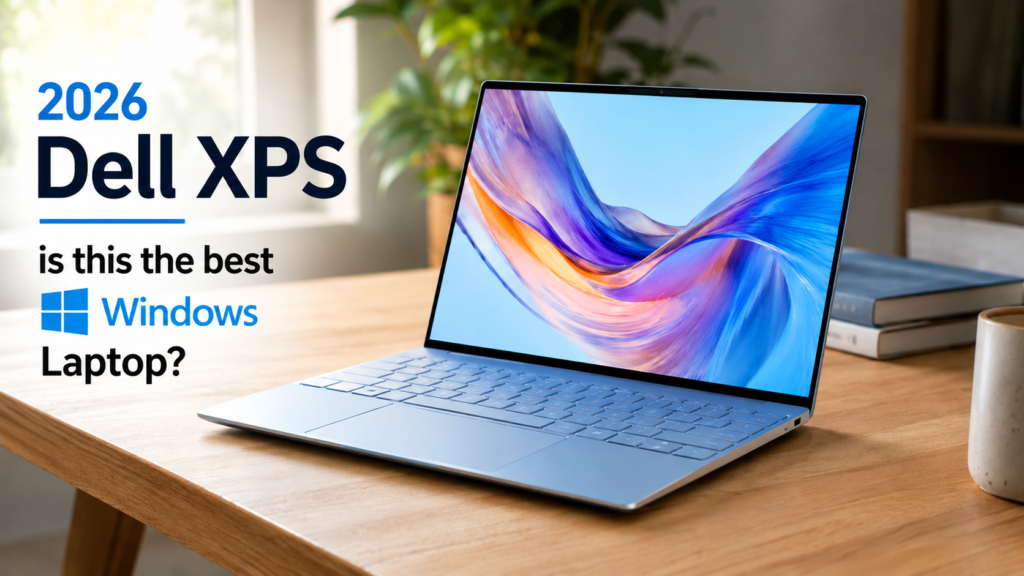
This is a synthesis review: we weren’t able to put hands on Dell’s top-spec XPS 13 ourselves, so what follows is built from measured results published by Tom’s Guide, Tom’s Hardware, Engadget, Reviewed, XDA Developers, and Notebookcheck, plus Dell’s own spec sheets — cross-checked against each other and flagged wherever they disagree or where we couldn’t confirm a number.
The verdict up front
The Dell XPS 13 (2026) is a genuinely good laptop, and the version most reviewers loved — the $899 Core 5 model with 16GB of RAM — is one of the best Windows ultrabooks you can buy under $1,000. The maxed-out configuration is a different calculation. At $2,099 for the Core Ultra 7 355 with 32GB of RAM and a 1TB SSD, you’re paying MacBook Air money for a chassis whose reviewed weak points — a mediocre trackpad, a blurry webcam, only two ports, no headphone jack — don’t go away just because you spent more. Buy the top-spec XPS 13 if you specifically need 32GB of RAM in a 2.2-pound Windows machine with Copilot+ AI features and a touchscreen. Otherwise, the $899 mid-tier XPS 13 or a MacBook Air M5 will serve most people better for less money.
At-a-glance comparison
| Dell XPS 13 (2026) — top spec | Apple MacBook Air 13″ (M5, 2026) | Apple MacBook Neo (A18 Pro, 2026) | |
|---|---|---|---|
| Price (as of Sept 2026) | $2,099 MSRP [UNVERIFIED: current live US availability/price at this exact 32GB/1TB configuration — Dell.com’s product page showed only lower presets, see Fact-Check Queue] | $1,099–$1,299 | $599–$699 |
| RAM ceiling | 32GB | 16GB (as tested) | 8GB, fixed |
| Storage | 1TB SSD | Up to 1TB (tested) | 512GB max |
| Weight | 2.2 lbs | 2.7 lbs | 2.7 lbs |
| Display brightness (measured) | 398–500 nits, varies by reviewer/panel | 458.8 nits | ~452.6 nits |
| Battery (best measured result) | 19.5 hrs video playback (Reviewed) | 15h28m mixed use | ~13–14 hrs |
| Ports | 2x Thunderbolt 4, no headphone jack | 2x Thunderbolt, headphone jack | 2 USB-C, headphone jack |
| Keyboard backlight | Yes | Yes | No |
| Trackpad | Mechanical, criticized as inconsistent | Haptic, responsive | No haptic |
| AI features | Copilot+ PC / NPU | Apple Intelligence | Apple Intelligence |
| Touchscreen | Yes (Sky finish only) | No | No |
Winners are marked where reviewers were consistent; the RAM and price rows are ties in the sense that each machine is built for a different budget, not that they’re equivalent.
What it is, and what changed
Dell killed the XPS name in 2024 in favor of a “Dell Premium” lineup, and by most accounts the rebrand landed badly enough that Dell brought XPS back at CES 2026, positioning the new XPS 13 as a direct answer to Apple’s budget-minded MacBook Neo rather than a halo product. That explains the unusual price spread: the same DX13260 chassis starts at $699.99 (student pricing $599) with an entry Intel Core 5-320 chip and 8GB of soldered RAM, and tops out at $2,099 with a Panther Lake Core Ultra 7 355, 32GB of RAM, and a 1TB SSD. It’s less “one laptop” than three different laptops wearing the same aluminum shell.
Worth noting up front: nearly every hands-on review currently published — Tom’s Guide, XDA, Reviewed, Engadget, Tom’s Hardware — tested the entry Core 5 configurations (8GB or 16GB RAM), because those shipped first. The Core Ultra 7 355 tier, including the 32GB top spec, arrived later in a separate global rollout, and we found far less direct hands-on testing of that specific configuration. Where we cite performance below, we’ve noted which chip and RAM tier was actually tested.
Build and display
Reviewers agree the XPS 13 punches above its price on build quality: a CNC-machined aluminum chassis, 12.7mm thick, 2.2 pounds — Dell calls it the thinnest XPS it’s ever made. Tom’s Hardware flagged one specific complaint worth passing on: a sharp metal edge along the bottom rear panel, and screws tight enough that opening the chassis “required significant effort.”
The 13.4-inch, 2560×1600 touchscreen is the standout spec on paper — 120Hz (down to 30Hz VRR), 100% DCI-P3, VESA DisplayHDR400, Dolby Vision, up to 500 nits. In practice, measured brightness varies more than you’d expect between review units: Tom’s Guide measured 398 nits, XDA measured 454, and Reviewed hit the full 500. Tom’s Hardware traced this to Dell sourcing panels from two different suppliers, Sharp and LG, with “slight visual differences” between them — a real reviewer disagreement, not sloppy testing, and one worth knowing before you buy if display consistency matters to you. One more catch: the touchscreen only comes on the Sky color finish. The Storm finish costs the same and skips it, which The Gadgeteer called out as an easy-to-miss gotcha at checkout.
Performance and thermals
This is where the tier you buy matters most, and where the top-spec Core Ultra 7 355 remains the least independently tested part of the lineup. On the Core 5-320 units reviewers did test, results were mixed: Engadget found the new Core 5-320’s integrated graphics were roughly half the speed of the previous Snapdragon-based XPS 13 and about a third the speed of the 2024 Intel model — a real regression in GPU performance, not a marketing footnote. XDA and Tom’s Hardware both found the entry-level 8GB configuration would stutter or lock up under multitasking; Cinebench and 3DMark scores on the 16GB Core 5 unit were adequate for everyday work but well behind anything built for video editing or gaming.
The Core Ultra 7 355 (Panther Lake) in the higher tiers is a different, more capable chip with Copilot+ AI acceleration, and it’s paired with active dual-fan cooling rather than the Core 5’s passive design — but we didn’t find a review that stress-tested the 32GB/1TB configuration specifically. Tom’s Hardware’s thermal numbers (CPU spiking to 100°C, keyboard reaching 104°F near the top row under sustained load) come from the Core 5 unit and shouldn’t be assumed to carry over directly.
[UNVERIFIED: sustained Cinebench/thermal results for the 32GB Core Ultra 7 355 configuration specifically — no outlet we found has published a dedicated review of that exact SKU as of this writing]
Battery, keyboard, and everyday use
Battery life is the one area where every review agrees, regardless of configuration: it’s excellent. Results ranged from 14 hours 26 minutes (Tom’s Guide, web browsing) up to 19 hours 30 minutes (Reviewed, video playback at 40% brightness), all well ahead of typical Windows ultrabook results and competitive with or better than Apple’s claims for the MacBook Neo and MacBook Air.
The backlit keyboard drew consistent praise — a real advantage over the MacBook Neo, which doesn’t offer backlighting at any price. The trackpad is the recurring complaint: Engadget described it as “mechanical” and outdated-feeling, with the top third failing to register clicks reliably, and XDA separately called the unit it tested “small” and occasionally unresponsive to double-taps. Neither the MacBook Air’s haptic trackpad nor (per most reviewers) the MacBook Neo’s trackpad has this problem.
The webcam is a weak point across the lineup: Tom’s Guide called the 1080p camera “blurry and washed out.” Port selection is thin on every tier — two USB-C ports (Thunderbolt 4 on the Ultra 7 tier, plain USB-C on Core 5), and no 3.5mm headphone jack anywhere in the range, which both the MacBook Neo and MacBook Air still include.
Who it’s for, and who should skip it
Buy the top-spec XPS 13 if you specifically need 32GB of RAM for memory-heavy work — large spreadsheets, many browser tabs, light dev work, or local AI tools that benefit from Copilot+ acceleration — in the lightest, thinnest Windows chassis Dell sells, and you’re willing to trade a mediocre trackpad and webcam for that. It also makes sense if you’re committed to Windows and want a machine that visually and physically competes with Apple’s hardware.
Skip it if $2,099 is more than you’d spend on a laptop that still ships with a two-port, no-headphone-jack, mechanical-trackpad compromise. Skip it too if you haven’t confirmed the 32GB/1TB configuration is actually in stock at that price — see the note below.
Alternatives
Dell XPS 13 (2026), 16GB/$899 tier — the configuration nearly every reviewer actually recommends. Same chassis, same battery life, none of the 8GB model’s stuttering, for less than half the top spec’s price. If you don’t have a specific reason to need 32GB, this is very likely the better buy.
Apple MacBook Air 13″ (M5, 2026), from $1,099 — Tom’s Hardware’s tested unit (16GB/1TB, $1,299) still undercuts the XPS 13’s top spec by $800 while outscoring it on trackpad quality and matching it closely on battery life (15h28m measured). You lose the touchscreen and cap out lower on RAM, but macOS’s memory management makes 16GB go further than it does on Windows.
Apple MacBook Neo (A18 Pro, 2026), from $599 — the machine Dell explicitly built the entry XPS 13 to beat, not the $2,099 config. Cheaper, includes a headphone jack, but RAM is fixed at 8GB with no upgrade path at any price, and it lacks a backlit keyboard and touchscreen.
FAQ
Is the 2026 Dell XPS 13 the same as older XPS 13 models?
It’s a new design built after Dell briefly retired the XPS name for a “Dell Premium” line in 2024–2025 and brought it back at CES 2026. The chassis, display, and port selection are new; it isn’t a spec bump of the previous-generation XPS 13.
Is 8GB of RAM enough on the Dell XPS 13 (2026)?
Multiple reviewers, including XDA and Engadget, reported multitasking slowdowns and occasional lockups on the base 8GB configuration, and the RAM is soldered with no upgrade path after purchase. Most reviews recommend paying the extra $200 for 16GB.
Does the top-spec Dell XPS 13 support Copilot+ AI features?
Yes — Copilot+ PC status comes with the Core Ultra 7 355 tier (the $1,499+ configurations), not the entry Core 5-320 models. The 32GB top spec includes it.
Does the Dell XPS 13 (2026) have a headphone jack?
No, on any configuration. Both the MacBook Neo and MacBook Air 13″ still include one.
Is the Dell XPS 13’s touchscreen available on every color option?
No. It ships only on the Sky finish; the Storm finish is priced the same but doesn’t include touch, according to The Gadgeteer’s testing.
Is the maxed-out Dell XPS 13 worth it over a MacBook Air?
Only if you specifically need 32GB of RAM or a touchscreen in a Windows machine. At similar or lower prices, reviewers rated the MacBook Air’s trackpad and per-dollar value higher.