The short version
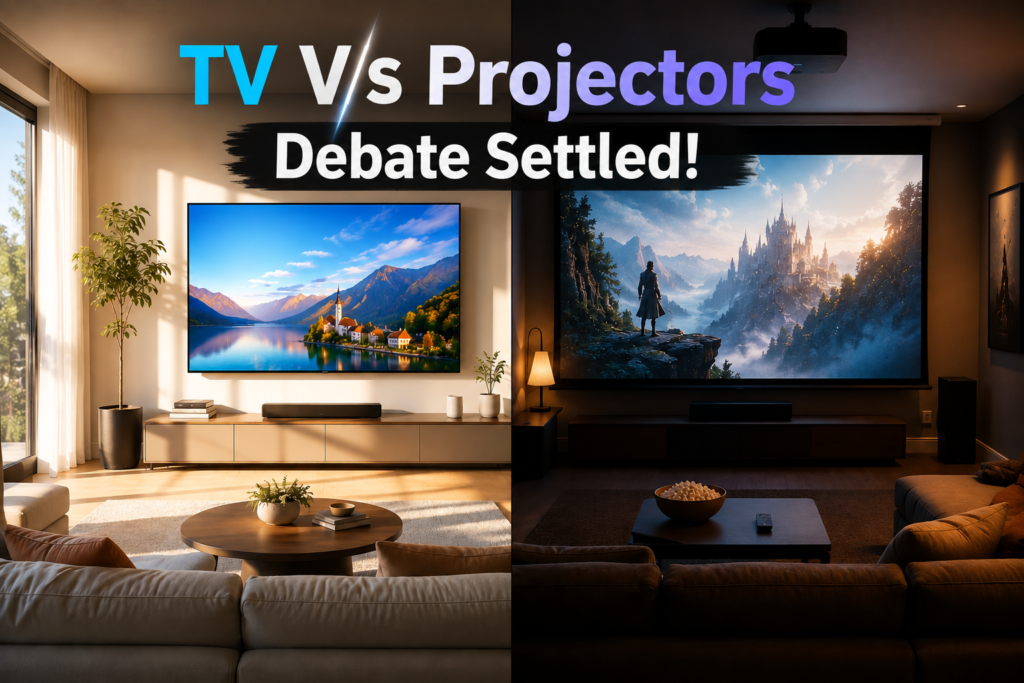
If your room gets real daylight and you’re not willing to commit to a dedicated dark space, buy a TV. A projector will look genuinely washed out the moment ambient light hits the screen — even a good ambient-light-rejecting (ALR) screen doesn’t fully solve it. If you want a screen bigger than about 100 inches and you can dim the room, a projector is the only realistic way to get there without spending five figures: a Hisense PX3-PRO ultra-short-throw laser projector plus an ALR screen runs about $4,300 total and covers up to 150 inches, while a 98-inch Sony X90L TV starts near $9,999. Below 100 inches, a TV is usually both cheaper and better outright — a 100-inch Hisense U76N QLED costs $1,899 [UNVERIFIED: sourced from a third-party review roundup, not a live Hisense or retailer listing checked in this pass], less than most projector-and-screen setups, with none of the setup work.
Neither technology is the universal answer, and the deciding factor is almost always your room’s lighting, not the spec sheet.
Projector vs TV at a glance
| What matters | Projector | TV | Edge |
|---|---|---|---|
| Cost at 100″ | UST laser + ALR screen: ~$4,300 (Hisense PX3-PRO $3,499.99 + ~$800 screen) | $1,899 (Hisense U76N 100″ QLED) | TV |
| Cost above 120–150″ | Same PX3-PRO setup covers up to 150″ for the same $4,300 | No mainstream TV exists at that size for a comparable price | Projector |
| Daytime / bright-room viewing | Even ALR-screen setups go “essentially unwatchable” on dark scenes with the lights on, per one side-by-side test | Stays clearly watchable with lights on or daylight in the room | TV |
| Dark-room black level & contrast | A standard-throw laser projector edged out both a TV and a UST projector on overall contrast in a dark room in one test | Local dimming won the very darkest and brightest 1% of scenes in the same test | Close — depends what you watch |
| Gaming input lag | Top gaming projectors now measure 4–4.2ms (Optoma UHD38x, BenQ X500i) | Best gaming TVs measure 5–10ms | Tie on lag — TV still wins on VRR/4K120 support |
| Setup complexity | Throw-distance planning, possible ceiling mount, screen installation | Unbox, mount or stand, plug in | TV |
| Light-source cost of ownership | Laser: 20,000–30,000 hours before dimming to 50% brightness, no bulb to replace. Lamp models: 3,000–5,000 hours, $100–$300 per replacement bulb | No equivalent wear part | TV vs. lamp projectors; roughly tied vs. laser projectors |
| Built-in audio | Usually needs external speakers; some UST models buck this (Hisense PX3-PRO ships a 50W Harman Kardon system) | Most mid-range and up TVs include Dolby Atmos virtualization out of the box | TV, with exceptions |
| Portability | Lifestyle projectors (XGIMI Halo+, $859) move room to room and project on any wall | Fixed once mounted or placed | Projector |
| Long-term picture defects | None — a dimming bulb or laser degrades gradually, not in patches | OLED TVs carry a rare but real burn-in risk with static content | Projector |
The specs that matter — and the ones that don’t
Lumens on the box aren’t one standardized number. Manufacturers report brightness as either ANSI lumens or ISO lumens, and the two aren’t directly comparable — a projector rated at “4,000 lumens” using one standard isn’t necessarily brighter than one rated “3,000 ANSI lumens” using the other. The Hisense PX3-PRO’s 3,000 ANSI lumens and the Optoma UHD38x’s 4,000 ISO lumens shouldn’t be read as a straightforward 4,000-beats-3,000 comparison — check which standard a listing uses before assuming a bigger number means a brighter picture.
An ALR screen helps, but it doesn’t turn a projector into a TV. Ambient-light-rejecting screens are designed to reflect light back toward the viewer while absorbing light from other angles, and they measurably improve daytime performance over a plain white screen. But in one direct test, both a UST projector on an ALR screen and a standard-throw projector on a different ALR screen (screens priced around $800–$850 [UNVERIFIED: reflects one reviewer’s specific purchases, not a market survey of ALR screen pricing]) became “essentially unwatchable” during dark scenes once overhead lights came on, while the TV in the same test stayed clearly watchable. If your primary viewing room has real daylight or you keep the lights on, no current screen technology closes that gap.
Gaming input lag has quietly stopped being a projector weakness. As recently as a couple of years ago, “get a TV if you game” was uncomplicated advice. It no longer is: the fastest current 4K projectors — the Optoma UHD38x and BenQ X500i among them — measure around 4–4.2ms of input lag [UNVERIFIED: figure from a third-party input-lag database; could not confirm it holds for current production units and firmware, which can shift lag numbers], which beats or matches most TVs’ 5–10ms range. What projectors still lack more often than TVs is full HDMI 2.1 support — variable refresh rate and native 4K/120Hz — so a competitive multiplayer gamer chasing the smoothest possible motion still has more TV options than projector ones, even though raw lag is no longer the gap it used to be.
Laser vs. lamp is a total-cost-of-ownership question, not just a spec. A laser light source is rated for 20,000 to 30,000 hours before dimming to half its original brightness — at typical viewing habits, that’s well over a decade before you’d notice meaningful decline, and there’s no bulb to buy. A traditional lamp-based projector like the budget-friendly Optoma UHD38x runs 3,000 to 5,000 hours per bulb, and each replacement costs $100 to $300 — over ten years of regular use, that can add $400 to $1,200 to the real cost of a projector that looked cheap at checkout. Factor that in before comparing a $949 lamp projector’s price tag directly against a laser model’s higher upfront cost.
Price tiers: what you actually get at each budget
| Tier | Price | Example | What you’re buying |
|---|---|---|---|
| Budget gaming projector | $949 | Optoma UHD38x — $949 (Best Buy, marked down from $999) | 4,000 ISO lumens, true 4K DLP, 4.2ms input lag, lamp-based (expect bulb costs over time) |
| Portable/lifestyle projector | ~$859 | XGIMI Halo+ — $859 | Battery-friendly, moves room to room, 30–300″ range, but not a true 4K panel — best for casual and outdoor use, not a primary home theater |
| Budget large TV | $1,899 | Hisense U76N — 100″ QLED, $1,899 | The cheapest realistic way to get a 100-inch screen; full array local dimming and 144Hz gaming support |
| Mid-range Mini-LED TV | $1,599.99 (65″) | Samsung QN90F — $1,599.99 | Strong brightness for daytime rooms at a mainstream screen size; see our Mini-LED vs. OLED guide for the tradeoffs at this size |
| Premium UST laser projector | ~$4,300 total | Hisense PX3-PRO ($3,499.99) + ALR screen (~$800) | 3,000 ANSI lumens, triple-laser color, 80–150″ image range, 25,000+ hour laser life, built-in 50W Harman Kardon audio |
| Large premium TV | $5,000–$9,999+ | TCL S5 98″ (~$5,000) up to Sony X90L 98″ (~$9,999) [UNVERIFIED: both figures sourced from a TechRadar comparison piece rather than a live retail listing confirmed in this research pass — verify current pricing before publishing] | 4K resolution, full brightness in any lighting, no setup beyond mounting — but the cost curve above 85″ climbs fast |
The jump between “budget large TV” and “large premium TV” is the clearest illustration of why screen size, not technology, usually decides this purchase: a 100-inch TV at $1,899 and a 98-inch TV at $9,999 sit in nearly the same size class but roughly 5x apart in price, because bigger flat panels get disproportionately more expensive as they approach the size where they stop being mass-produced commodity parts.
Decision framework
If your room gets meaningful daylight or you keep the lights on while watching, get a TV — this isn’t close, and no current screen technology changes the answer. If you want a screen larger than about 100 inches and can commit to a dim or dark room, a projector is the only path that doesn’t cost five figures. If you’re budget-capped under $1,000 and want the biggest image for the money in a dark room, a lamp-based gaming projector like the Optoma UHD38x gets you there, with a bulb-replacement cost to plan for later. If you want to move the screen between rooms, outdoors, or don’t want a permanent fixture on the wall, a portable lifestyle projector fits a use case no TV can match. If you’re gaming competitively and want guaranteed VRR and 4K/120, lean TV — projectors have closed the raw input-lag gap but not the HDMI 2.1 feature gap.
Where reviewers actually disagree
The clearest disagreement shows up in dark-room testing, and it’s a genuinely useful split to understand rather than a simple “TV wins” or “projector wins.” In one side-by-side comparison, a TV’s local dimming won the very darkest and brightest 1% of scenes — the deepest shadows and the sharpest highlights, where per-zone or per-pixel light control matters most. But across the other 98% of typical content, the standard-throw laser projector in the same test showed slightly higher contrast than the TV. Neither finding is wrong; they’re measuring different parts of the picture. If you mostly watch content with extreme HDR highlights — bright explosions against black skies — the TV’s advantage in that specific 1% may matter more to you than the average-case edge the projector held everywhere else.
Common mistakes buyers make
Assuming a bigger lumens number means a brighter picture is the most common mistake, because ANSI and ISO lumens aren’t measured the same way and manufacturers pick whichever standard flatters their spec sheet. A close second is buying a projector for a living room that gets daytime light without budgeting for blackout curtains or accepting evening-only use — the picture quality complaints in nearly every projector review trace back to ambient light, not the projector itself. Buyers also frequently ignore total cost of ownership on lamp-based projectors, where $400 to $1,200 in bulb replacements over a decade can erase the upfront savings versus a laser model. And it’s easy to compare a projector’s price against a similarly sized TV without adding the screen — a UST projector’s real cost includes an ALR screen that can run $800 or more, not just the projector itself.
Who should buy which
A living room with windows and daytime use calls for a TV, full stop — the Hisense U76N at $1,899 gets you 100 inches for less than most projector setups, with none of the ambient-light compromise. A dedicated home theater room with light control and a want for a screen larger than 100 inches calls for a UST laser projector like the Hisense PX3-PRO, which trades some daytime flexibility for a genuinely huge, bright image in the dark. A budget-conscious gamer who games mostly at night and wants the biggest screen for the least money should look at the Optoma UHD38x, accepting that a lamp will need replacing every few years. Someone who wants a screen for a backyard movie night, dorm room, or space where a permanent installation isn’t practical should look at a portable lifestyle projector like the XGIMI Halo+, understanding it won’t match a dedicated home theater setup’s resolution or brightness. And anyone chasing the sharpest possible HDR highlights alongside the deepest blacks — the kind of viewer who notices a extra stop of contrast in the darkest scene of a movie — should lean toward a premium TV with strong local dimming over a projector, even in a dark room.
What would change this recommendation
Two things are worth watching. TV manufacturers showed 130-inch panels at CES 2026, and if those come down from ultra-premium pricing toward something closer to mainstream cost, it would erode the biggest reason to choose a projector — massive screen size without a five-figure price tag. On the projector side, laser light sources are becoming standard even at lower price points, which would shrink or eliminate the lamp-replacement cost that currently makes budget projectors more expensive than they first appear over a decade of ownership. If either shift plays out significantly in the next year or two, it’s worth re-checking this comparison rather than assuming today’s tradeoffs still hold.
FAQ
Is a projector as bright as a TV in 2026?
Not for daytime or lit-room viewing. Even premium laser projectors on ambient-light-rejecting screens become difficult to watch during dark scenes once room lights are on, while TVs stay clearly watchable in the same conditions. Projectors remain the better choice only when you can dim or darken the room.
How much does it cost to get a 120-inch screen?
With a UST laser projector, roughly $4,300 total — for example, a Hisense PX3-PRO at $3,499.99 plus an ambient-light-rejecting screen around $800. No mainstream flat-panel TV exists at that size for a comparable price; TVs in the 98-inch class alone start around $5,000 and climb well past $9,999 at the premium end.
Do gaming projectors still have more input lag than TVs?
Not necessarily anymore. The fastest current 4K gaming projectors, like the Optoma UHD38x and BenQ X500i, measure 4–4.2ms of input lag — as fast as or faster than most gaming TVs’ 5–10ms range. Projectors still lag behind on HDMI 2.1 features like VRR and native 4K/120Hz, which matter more for competitive multiplayer than raw lag alone.
How often do I need to replace a projector bulb?
Only if you buy a lamp-based model — laser projectors don’t use replaceable bulbs and are rated for 20,000 to 30,000 hours before dimming to half brightness. A lamp-based projector typically needs a new bulb every 3,000 to 5,000 hours, at $100 to $300 per replacement, which can add $400 to $1,200 over a decade of regular use.
Can I use a projector outside during the day?
Only with a very bright model and realistically, only until direct sunlight hits the screen — even 4,000+ lumen projectors struggle in full daylight. Portable lifestyle projectors are better suited to dusk or after-dark outdoor viewing than true daytime use.
Does a projector need a special screen, or can I use a blank wall?
A blank wall works for casual use, but a dedicated screen — especially an ambient-light-rejecting screen for any room with light control issues — measurably improves contrast, color accuracy, and brightness uniformity. If you’re investing in a premium projector, budget for a proper screen rather than treating it as optional.